
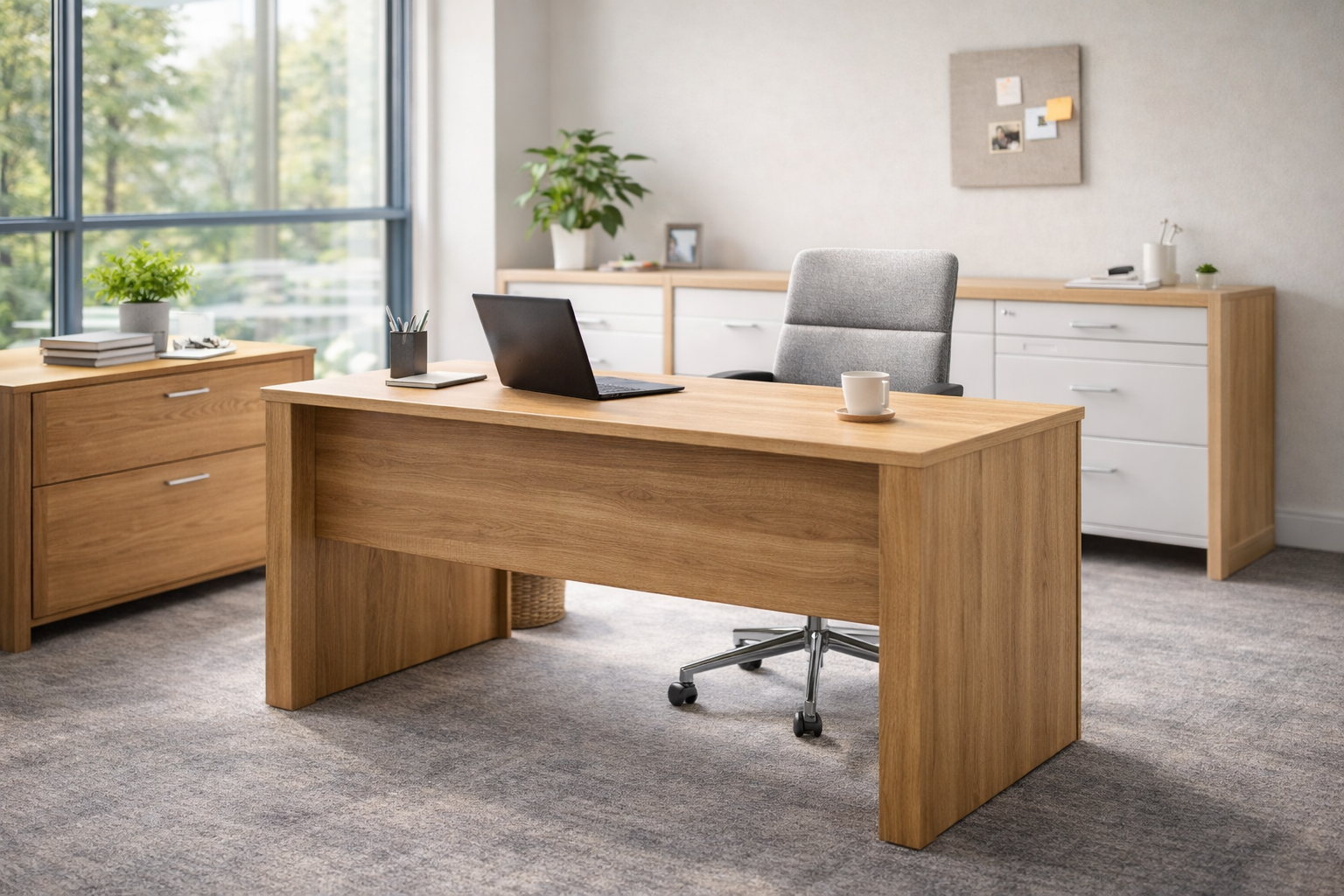
How to Choose the Perfect Office Chair: A Complete Ergonomic Guide

Discover the key factors to consider when selecting an ergonomic office chair for maximum comfort and productivity. This comprehensive guide covers lumbar support, adjustability features, materials, and expert tips to help you find the ideal chair for your workspace.
Spending eight or more hours a day at a desk takes a serious toll on your body. Back pain, neck stiffness, and poor posture have become all too common among office workers, and the culprit is often hiding in plain sight: your office chair. Choosing the right ergonomic office chair isn’t just about comfort—it’s an investment in your long-term health, productivity, and overall well-being.
According to OSHA’s ergonomic guidelines, proper workplace seating can significantly reduce the risk of musculoskeletal disorders (MSDs) while improving focus and efficiency. Whether you’re setting up a home office or upgrading your corporate workspace, this guide will walk you through everything you need to know about selecting the perfect office chair.
Why Your Office Chair Matters More Than You Think
The average office worker spends approximately 1,700 hours per year sitting at their desk. During this time, a poorly designed chair forces your body into unnatural positions, creating stress on your spine, shoulders, and hips. Over time, this leads to chronic pain, reduced energy levels, and decreased productivity.
An ergonomic chair addresses these issues by supporting your body’s natural posture. It adapts to your unique shape rather than forcing you to conform to it. The right chair promotes proper spinal alignment, encourages healthy blood circulation, and allows you to work comfortably for extended periods without fatigue.
When you’re ready to upgrade your workspace, explore the complete range of office furniture at LifeMate to find pieces that complement your new chair and create a cohesive, ergonomic environment.
Essential Features to Look For in an Ergonomic Office Chair
Lumbar Support: The Foundation of Comfort
Your lower back naturally curves inward, and without proper support, sitting for long periods flattens this curve, leading to strain and discomfort. Quality lumbar support maintains the spine’s natural S-shape and distributes pressure evenly across your back.
Look for chairs with adjustable lumbar support that lets you customize both the height and depth of the support. This ensures the lumbar pillow or mechanism sits precisely at your lower back curve, regardless of your body type. Some premium chairs feature dynamic lumbar systems that automatically adjust as you move throughout the day.
Seat Height and Depth Adjustability
Proper seat height allows your feet to rest flat on the floor with your thighs parallel to the ground and knees bent at approximately 90 degrees. Most ergonomic chairs offer a height range of 16 to 21 inches from the floor, accommodating users of various heights.
Seat depth is equally important but often overlooked. The seat pan should support most of your thigh without pressing against the back of your knees, which can restrict blood flow. Adjustable seat depth, sometimes called a sliding seat, allows you to position the seat so there’s a small gap (about two to three fingers’ width) between the seat edge and the back of your knees.
Armrests: Supporting Your Upper Body
Adjustable armrests reduce strain on your shoulders, neck, and upper back by supporting your arms while typing or using a mouse. The best office chairs offer 4D armrests that adjust in four directions: height, width, depth, and angle.
When properly positioned, armrests should allow your shoulders to remain relaxed while your elbows rest at approximately 90 degrees. They should support your forearms without forcing your shoulders upward or causing you to lean to one side.
Backrest Design and Recline Function
A quality backrest should be wide enough to support your entire back and tall enough to reach at least your shoulder blades. For additional neck support during reading or thinking, consider chairs with integrated headrests.
The recline function allows you to lean back periodically, which shifts pressure away from your lower spine and engages different muscle groups. Look for chairs with adjustable recline tension so you can control how easily the chair tilts back. A synchronized tilt mechanism that moves the seat and backrest together maintains proper posture even when reclined.
Materials: Mesh vs. Foam vs. Leather
The material of your chair affects both comfort and durability. Each option has distinct advantages depending on your priorities and working environment.
Mesh backs provide excellent breathability, making them ideal for warm climates or those who tend to overheat. High-quality mesh conforms to your body while maintaining firm support. However, mesh seats may feel less cushioned than alternatives.
Foam padding offers superior cushioning and is often more comfortable for shorter sitting periods. High-density foam retains its shape better over time, while memory foam molds to your body. The downside is reduced airflow compared to mesh.
Leather and faux leather provide a premium look and are easy to clean, making them popular for executive offices. However, they retain heat and may become uncomfortable during extended use in warm environments.
How to Find the Right Chair for Your Body Type
No single chair works perfectly for everyone. Your height, weight, and body proportions all influence which chair will provide optimal support. Here are guidelines for different body types:
For petite users (under 5’4”): Look for chairs with a lower minimum seat height (around 15”), shorter seat depth, and a narrower backrest. Ensure the lumbar support can be positioned low enough to match your spine’s curve.
For taller users (over 6’0”): Seek chairs with extended height ranges, deeper seats, and taller backrests that provide adequate support for your entire spine. Headrests become more important for proper neck support.
For heavier users: Choose chairs rated for higher weight capacities with reinforced bases and mechanisms. Wider seats with firmer cushioning provide better support and durability over time.
Budget Considerations: What to Expect at Different Price Points
Office chairs range from under $100 to over $2,000. Understanding what each price bracket offers helps you make an informed decision that balances quality with budget constraints.
Under $150: Basic task chairs with limited adjustability. These may work for occasional use but typically lack adequate lumbar support and durability for full-time work.
$150–$400: Mid-range ergonomic chairs with mesh backs, basic lumbar support, and standard height adjustment. Many excellent options exist in this range for home offices and light commercial use.
$400–$800: Premium ergonomic chairs with comprehensive adjustability, quality materials, and longer warranties. These chairs often include advanced lumbar systems and more durable construction.
Over $800: High-end chairs from brands like Herman Miller and Steelcase featuring cutting-edge ergonomic technology, premium materials, and extensive warranties (often 10–12 years). According to Consumer Reports, these investments often pay off through superior durability and long-term comfort.
Think of your chair purchase as a long-term investment. A $500 chair that lasts five years costs about $100 per year—far better value than a $100 chair that breaks down annually and contributes to health problems.
Setting Up Your Chair for Maximum Comfort
Even the best ergonomic chair won’t help if it’s not properly adjusted. Follow these steps to optimize your seating position:
1. Adjust seat height first. Sit with your feet flat on the floor and thighs parallel to the ground. Your knees should be at or slightly below hip level.
2. Position the seat depth. Sit back fully against the backrest and check that two to three fingers fit between the seat edge and the back of your knees.
3. Adjust lumbar support. Position the lumbar support to fit naturally into the curve of your lower back. It should feel supportive but not push you forward.
4. Set armrest height. Position armrests so your shoulders remain relaxed while your elbows rest at 90 degrees when typing.
5. Fine-tune the recline. Adjust recline tension so the chair supports you when leaning back without requiring effort to stay upright.
Common Mistakes to Avoid When Buying an Office Chair
Many buyers make avoidable errors that lead to dissatisfaction with their purchase. Watch out for these common pitfalls:
Prioritizing aesthetics over ergonomics: A beautiful chair that doesn’t support your body properly will quickly become uncomfortable. Always prioritize function and adjustability.
Ignoring the warranty: A longer warranty typically indicates manufacturer confidence in durability. Quality ergonomic chairs often come with 5–12 year warranties.
Buying without testing: If possible, sit in a chair for at least 15–20 minutes before purchasing. Comfort is personal, and what works for others may not work for you. If buying online, ensure the retailer has a generous return policy.
Overlooking your desk setup: Your chair works as part of a system with your desk, monitor, and keyboard. Ensure all components work together ergonomically. Check out LifeMate’s office furniture collection for coordinated workspace solutions.
Beyond the Chair: Complementary Ergonomic Practices
A great chair is just one component of a healthy workspace. Combine your new seating with these practices for optimal results:
Take regular breaks: Stand up and move every 30–60 minutes. Even the best chair can’t eliminate the health risks of prolonged sitting.
Position your monitor correctly: Place your screen at arm’s length with the top of the display at or slightly below eye level to prevent neck strain.
Consider a sit-stand desk: Alternating between sitting and standing throughout the day reduces the strain of static postures and promotes movement.
Use a footrest if needed: If your desk is too high for optimal chair adjustment, a footrest provides stable support and maintains proper posture.
Making Your Final Decision
Choosing the perfect office chair requires balancing multiple factors: adjustability, materials, durability, and budget. Start by identifying your specific needs—consider how many hours you spend sitting, any existing discomfort you experience, and your body type.
Prioritize chairs with comprehensive lumbar support and multiple adjustment options, as these features have the greatest impact on long-term comfort. Don’t be swayed by features you won’t use; a simpler chair that fits your needs perfectly is better than a complex one that doesn’t.
Remember that your office chair is one of the most important tools in your workspace. Investing in quality seating today can prevent years of discomfort and health issues while boosting your daily productivity and well-being.
Ready to transform your workspace? Browse the complete office furniture selection at LifeMate to find ergonomic chairs, desks, and accessories that create a comfortable, productive environment tailored to your needs.